01 Step One
Install BepInEx 6 (IL2CPP x64)
Lay down the mod loader the suite plugs into.
BepInEx is the loader that hooks into PAC-MAN WORLD Re-PAC at launch so plugins can run. The game is built on Unity IL2CPP, so it needs one specific flavour of BepInEx 6: the IL2CPP, Windows x64, BleedingEdge build. Get that part right and the rest is just copying a folder.
Step 1 of 5
Find your game folder — and confirm it’s IL2CPP
In Steam, right-click PAC-MAN WORLD Re-PAC → Manage → Browse local files. A typical path looks like the one in the address bar below:
…\SteamLibrary\steamapps\common\PAC-MAN WORLD Re-PAC\You’re in the right place if you can see these three files sitting together. The middle one is the proof the game is IL2CPP:
PAC-MAN WORLD Re-PAC.exe— the game launcher.GameAssembly.dll— the compiled IL2CPP game code. If this file exists, you need the IL2CPP build of BepInEx.UnityPlayer.dll— the Unity runtime.
Why IL2CPP matters
Unity games ship as either Mono or IL2CPP. A Mono build of BepInEx will simply not load on an IL2CPP game (and vice-versa). The presence of GameAssembly.dll is the tell — this game is IL2CPP, x64.
Step 2 of 5
Download the correct BepInEx build
Grab the BleedingEdge build from the official build server. On that page, find the row for BepInEx Unity (IL2CPP) for Windows (x64) and download that single zip:
BepInEx-Unity.IL2CPP-win-x64-6.0.0-be.785+6abdba4.zipThe filename decodes like this, so you can recognise the right one on any future build:
Unity.IL2CPP— the runtime flavour. Must be IL2CPP for this game.win-x64— platform + architecture. Must be Windows 64-bit.be.785— the BleedingEdge build number. It only ever increases; the latest is fine.
BleedingEdge means newer features and newer bugs
These builds come straight from the latest source. That’s exactly what an IL2CPP plugin like this suite expects — the suite is built against the same Il2CppInterop era. Stable 6.0 releases are not published for IL2CPP, so BleedingEdge is the correct choice here, not a risky one.
Steps 3 – 5
Extract, launch once, verify
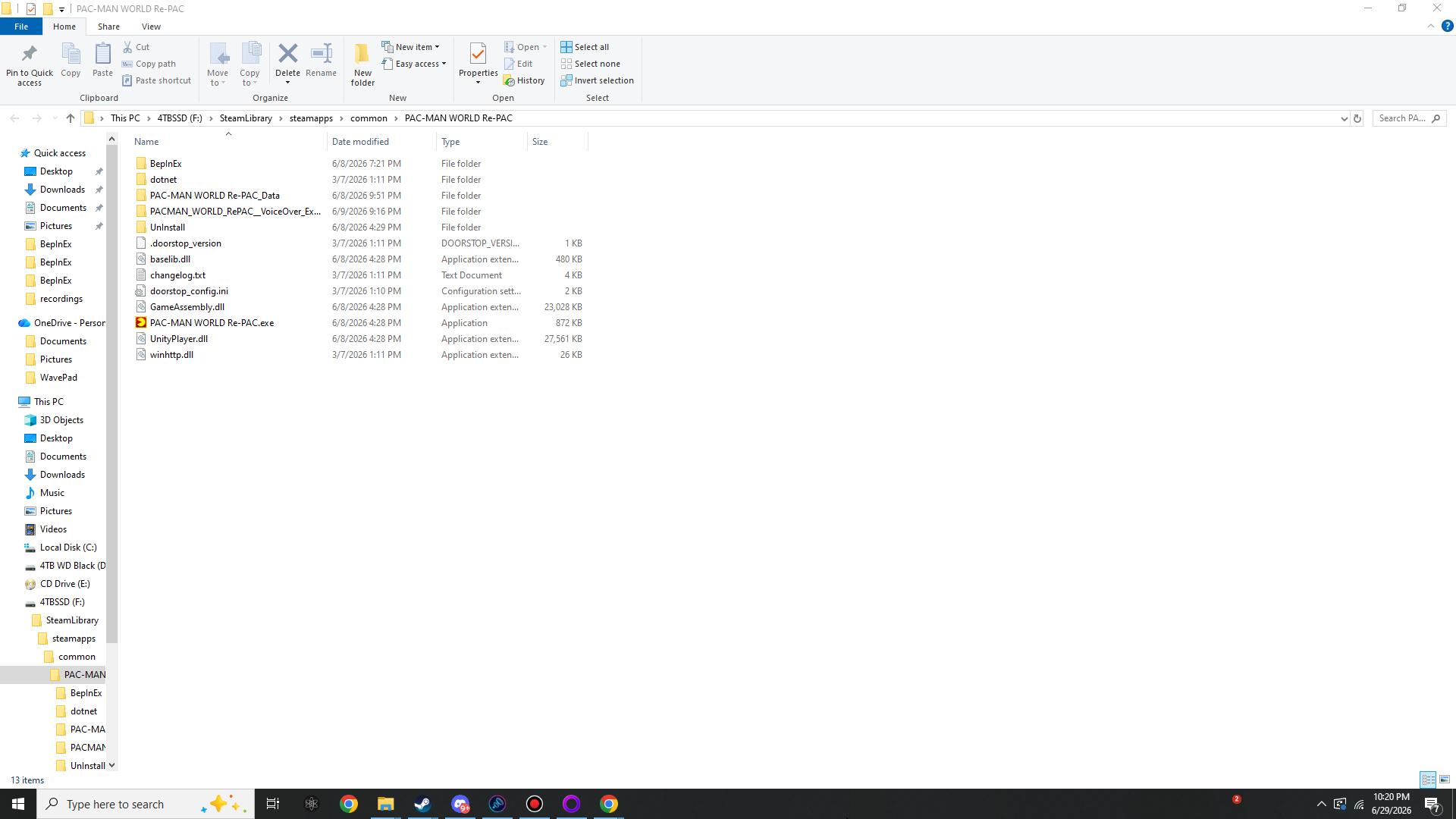
Extract the zip into the game folder
Open the BepInEx zip and copy everything inside it directly into the game folder
— the same folder that holds PAC-MAN WORLD Re-PAC.exe. Do not make a
subfolder; the BepInEx files must sit beside the game executable. When you’re done, the root
gains these items:
What winhttp.dll is doing
BepInEx 6 injects through a proxy DLL (winhttp.dll) plus a “doorstop”. When the game starts, Windows loads that proxy, the doorstop reads doorstop_config.ini, and BepInEx bootstraps before the game does. No Steam launch options are required — the proxy handles it.
Here’s the real folder after extraction. Click to view full size.
Launch the game once to generate folders
Start the game normally (through Steam, or by running the .exe). Let it reach the
main menu, then quit. This first run is BepInEx setting itself up: it creates its
working folders and, for an IL2CPP game, generates the interop assemblies it needs
into BepInEx/interop/.
The first launch is slower — that’s normal
Generating IL2CPP interop can take anywhere from a few seconds to a couple of minutes, and the window may sit on a black screen while it works. Don’t kill it. Subsequent launches are fast.
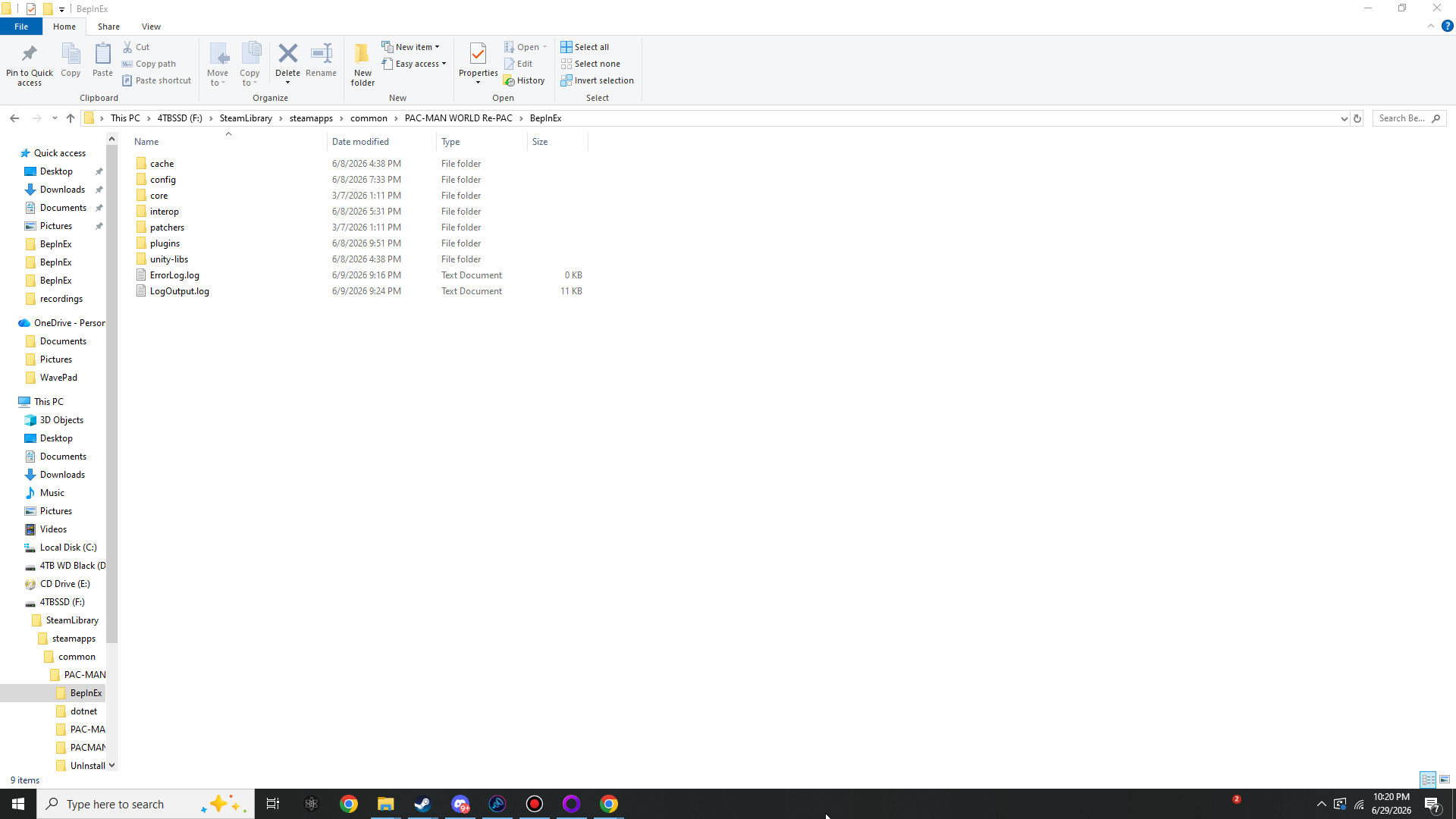
After that launch, the BepInEx\ folder is populated:
Verify BepInEx actually loaded
Confirm all of these exist after that first launch:
- The folders
BepInEx/core/,BepInEx/plugins/,BepInEx/config/andBepInEx/interop/. - A non-empty
BepInEx/LogOutput.log. Open it — near the top it prints the BepInEx version and that it’s running in IL2CPP mode.
If those are present, the loader is working and you’re ready for the plugin. If not, jump to Troubleshooting.
Optional but recommended
Turn on the BepInEx console
The suite has no in-game GUI, so a visible console is the easiest way to watch it load and to read the
baseline values it prints (you’ll want those for tuning — see
Configure). Open BepInEx/config/BepInEx.cfg in any text
editor and set the console to enabled:
[Logging.Console]

## Enables showing a console for log output.
# Setting type: Boolean
# Default value: false
Enabled = true
Save, relaunch, and a console window opens alongside the game. The next time you start up with the suite installed you’ll see its banner and its captured-baseline block scroll past.
On Steam Deck / Linux (Proton)
The winhttp proxy still works under Proton, but you may need to register the override. In Steam, set the game’s Launch Options to WINEDLLOVERRIDES="winhttp=n,b" %command%. Everything else on this page is identical.
Loader down. Plugin next.
With BepInEx generating its folders and writing a log, you have a working mod loader. Now drop in the suite.